MARCH UPDATES 2026
One Focus: Capture Smarter, Work Faster
In March, we focused on closing the distance between capturing an idea and doing something with it — whether you're clipping content online, dictating a thought, or organizing a semester's worth of coursework.
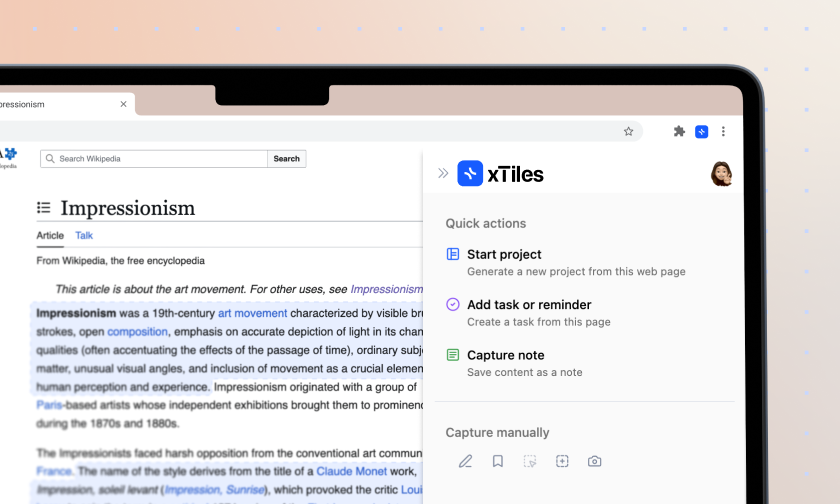
Web Clipper — Your Whole Workflow, One Click Away
Once something is captured, put it to work immediately: Save directly to your projects
Clip notes, tasks, and content straight into any project across your xTiles workspaces. No detours, no re-filing later.
Meet the Inbox page
Every project now has a built-in Inbox — a dedicated landing spot for everything you capture. Your clips arrive organized, ready to be moved to the right page whenever you're ready.
Extended quick actions:
- ✦Summarize — get the key points without reading the whole thing
- ✦Extract notes — pull out what matters as clean notes or a new project
- ✦Create an action plan — turn any clipped content into a task list
Clipped projects auto-link to their sources
Content clipped from a project automatically connects back to where it came from. Move content and create new pages inside your project in seconds.
Web Clipper — Your Whole Workflow, One Click Away
Once something is captured, put it to work immediately: Save directly to your projects
Clip notes, tasks, and content straight into any project across your xTiles workspaces. No detours, no re-filing later.
Meet the Inbox page
Every project now has a built-in Inbox — a dedicated landing spot for everything you capture. Your clips arrive organized, ready to be moved to the right page whenever you're ready.
Extended quick actions:
- ✦Summarize — get the key points without reading the whole thing
- ✦Extract notes — pull out what matters as clean notes or a new project
- ✦Create an action plan — turn any clipped content into a task list
Clipped projects auto-link to their sources
Content clipped from a project automatically connects back to where it came from. Move content and create new pages inside your project in seconds.
Canvas & Moodle Integration — Your Courses, Finally Under Control
Bring your Canvas and Moodle courses into xTiles. Get a clear overview of your courses, deadlines, and resources — all in one place, organized the way your brain actually works.
Coming soon: D2L, Blackboard, Google Classroom, and more.
Canvas & Moodle Integration — Your Courses, Finally Under Control
Bring your Canvas and Moodle courses into xTiles. Get a clear overview of your courses, deadlines, and resources — all in one place, organized the way your brain actually works.
Coming soon: D2L, Blackboard, Google Classroom, and more.
Two-Factor Authentication — Serious Security, Simple Setup
Open Google Authenticator, scan a QR code, and your account gets a second layer of protection. Your data stays yours — even if your password ever gets compromised. Set it up once — it works on mobile too.
Two-Factor Authentication — Serious Security, Simple Setup
Open Google Authenticator, scan a QR code, and your account gets a second layer of protection. Your data stays yours — even if your password ever gets compromised. Set it up once — it works on mobile too.
Voice Input — Just Talk
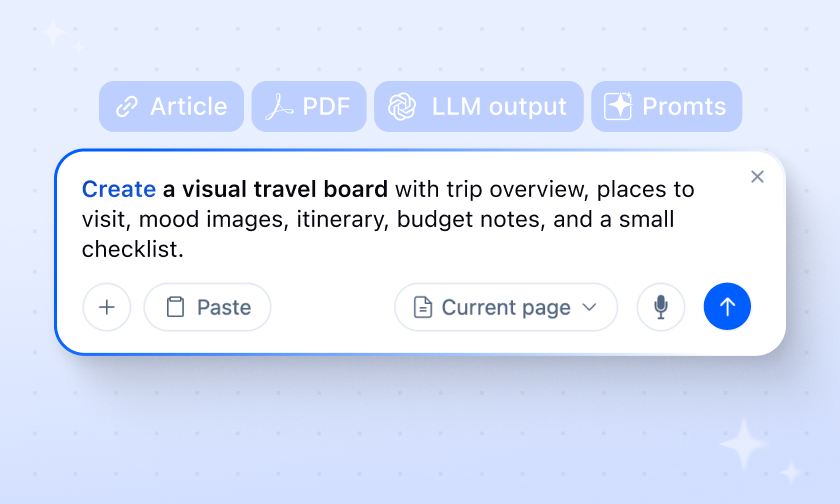
You can now use AI in xTiles with just your voice:
- 1Tap the mic in the AI Input and dictate your thought
- 2AI transcribes it into text instantly
- 3Press enter — and turn it into a tile, page, or full project
Ideas move at the speed you think them. No typing required.
Voice Input — Just Talk
You can now use AI in xTiles with just your voice:
- 1Tap the mic in the AI Input and dictate your thought
- 2AI transcribes it into text instantly
- 3Press enter — and turn it into a tile, page, or full project
Ideas move at the speed you think them. No typing required.
Mobile — Polish Where It Counts
Interface improvements
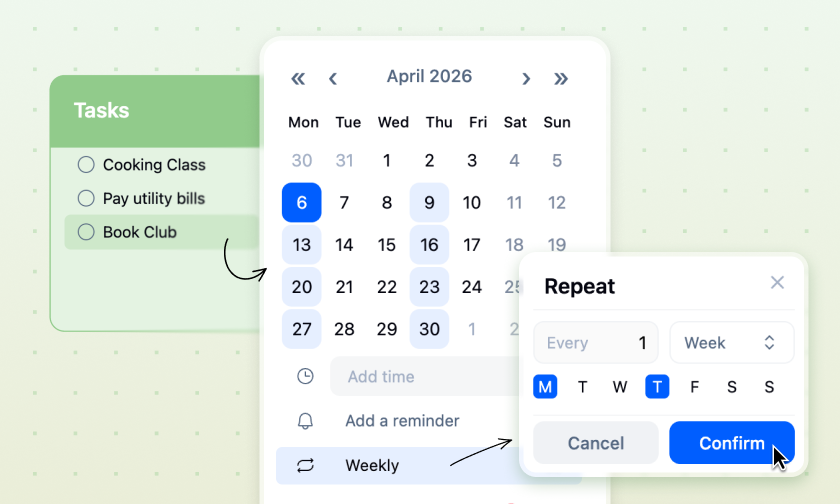
- ✦Calendar dates have a refreshed, cleaner design
- ✦Date picker covers a wider range and is easier to navigate
- ✦The "Expand" icon for nested notes is now a clearer "Note" icon
Bug fixes
- ✦Fixed a crash when setting time without a date
- ✦Fixed time resetting when rescheduling tasks
- ✦Fixed date changes not saving after closing the picker
Mobile — Polish Where It Counts
Interface improvements
- ✦Calendar dates have a refreshed, cleaner design
- ✦Date picker covers a wider range and is easier to navigate
- ✦The "Expand" icon for nested notes is now a clearer "Note" icon
Bug fixes
- ✦Fixed a crash when setting time without a date
- ✦Fixed time resetting when rescheduling tasks
- ✦Fixed date changes not saving after closing the picker
Small Fixes & Improvements
Location property
- ✦Group by Location is now available in Table and Board views inside Collections — see your content organized by project or page at a glance
Every update, One Goal
Our goal is to make xTiles the starting point for your day and a home for your ideas. In March, we focused on streamlining every step, from capturing ideas online to managing tasks on your phone.
✦More coming in April.